The ScoreBird guide

Everything ScoreBird can do — step by step

Real app screens, from the first tee to the season summary. The players and rounds shown are fictional examples.

1. Start a round in seconds

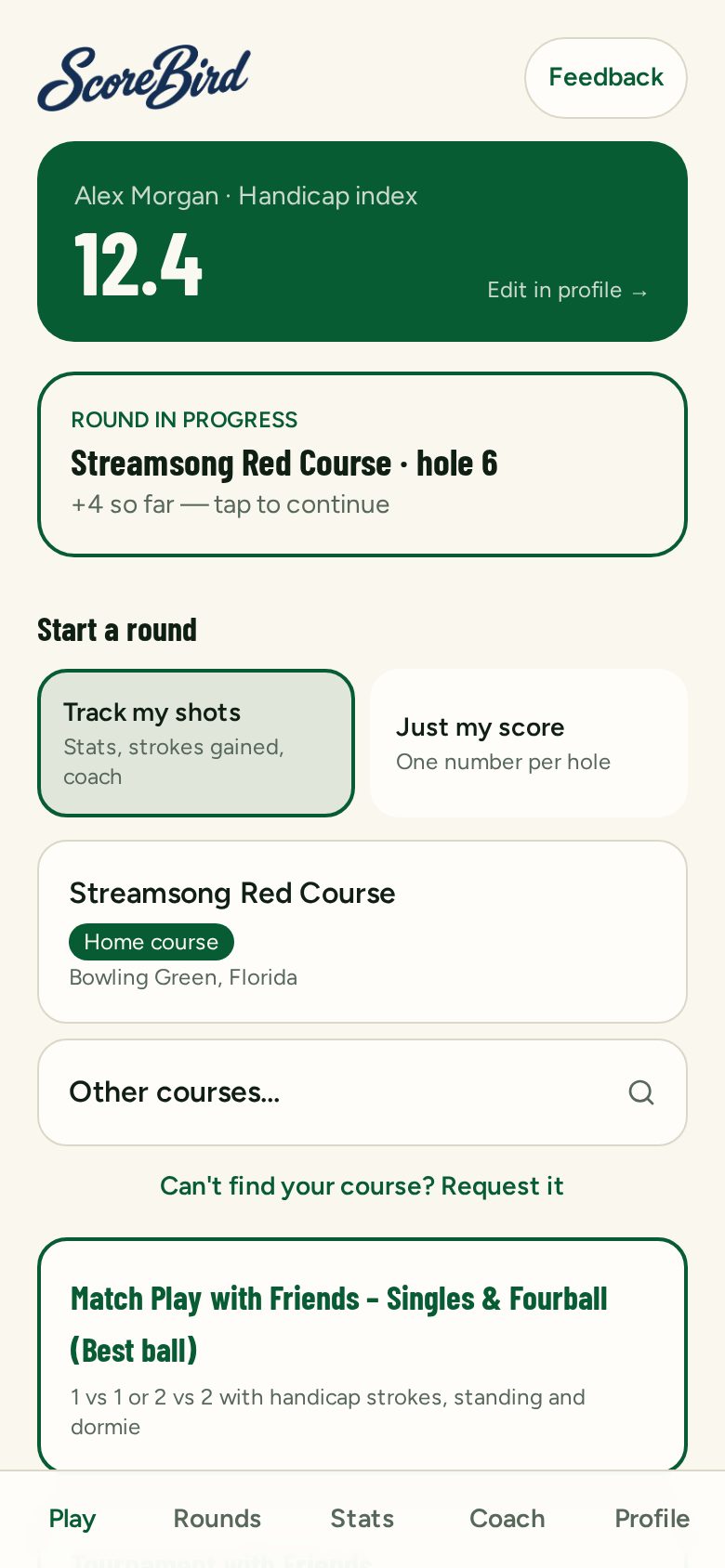
Open ScoreBird, pick how you want to play, choose your course and tee. That's it — you're on the first tee.

  1. 1Choose Track my shots for full stats, or Just my score for one number per hole.
  2. 2Search for your course — courses near you show first.
  3. 3Pick your tee. Your handicap strokes are worked out for you.
  4. 4An unfinished round waits for you on the Play screen — tap to continue.

Add ScoreBird to your phone's home screen and it opens like an app — even with weak signal on the course.

ScoreBird Play screen with a round in progress and the two play modes

2. Track my shots — a few taps per shot

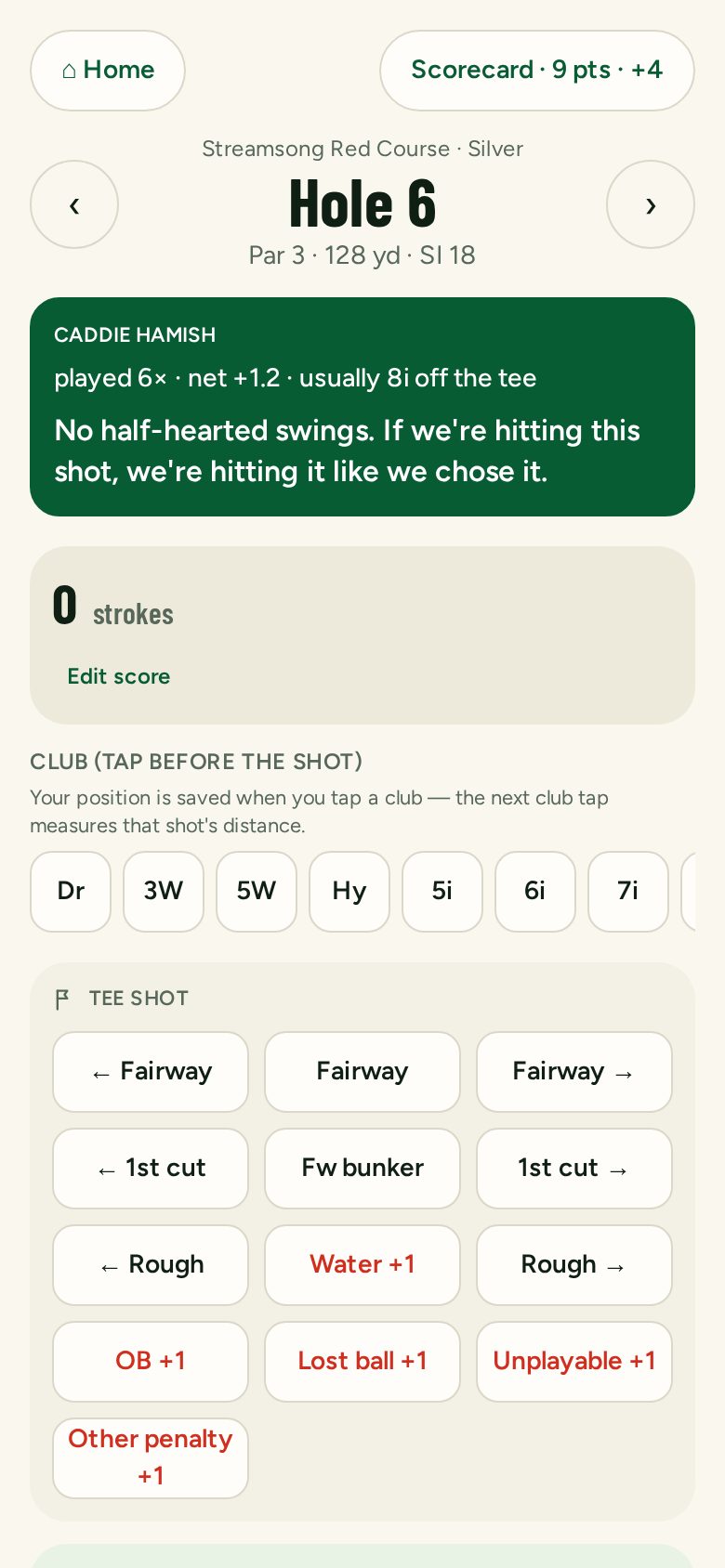
Tap the club, then where the ball finished. ScoreBird builds your fairways, greens, putts and strokes gained from those taps.

  1. 1Tap a club before the shot — your position is saved to measure distance.
  2. 2After the shot, tap where it went: fairway, rough left, bunker, green…
  3. 3Penalties (water, OB, lost ball) add the extra stroke automatically.
  4. 4Your running score and Stableford points sit at the top.

Caddie Hamish appears in the green box with your hole history and a word of encouragement.

Shot tracking screen on a par 3 with Caddie Hamish advice

3. Just my score — when you only want the number

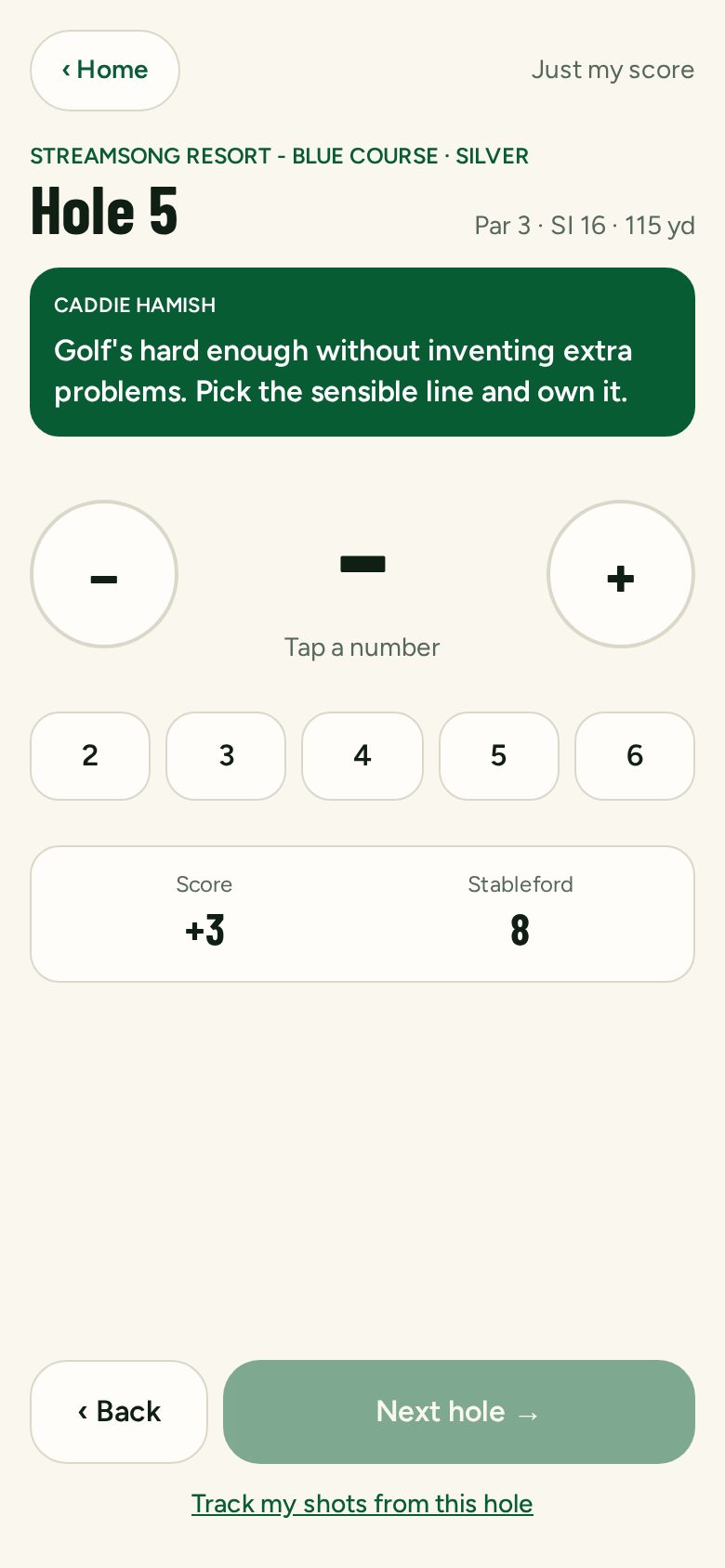
Playing fast or with friends? Tap one number per hole. Your score, Stableford and caddie still come along.

  1. 1Tap the strokes for the hole, or use + and −.
  2. 2Score and Stableford update as you go.
  3. 3Change your mind? Tap Track my shots from this hole to switch mid-round.
Just my score screen with Caddie Hamish and number buttons

4. Meet Caddie Hamish

Hamish learns from the rounds you log. He remembers what you hit on each hole, spots repeated misses and keeps your head in the game — with a caddie's sense of humour.

  1. 1Hole history: how often you've played the hole and your net average.
  2. 2Club and aim suggestions once you've logged a hole a few times.
  3. 3Reacts to your last hole — good or bad — and to your match or tournament.
  4. 4Before a round, ask for Hamish's brief on the course.

The more shot-by-shot rounds you log, the sharper his advice gets.

5. Every round becomes stats

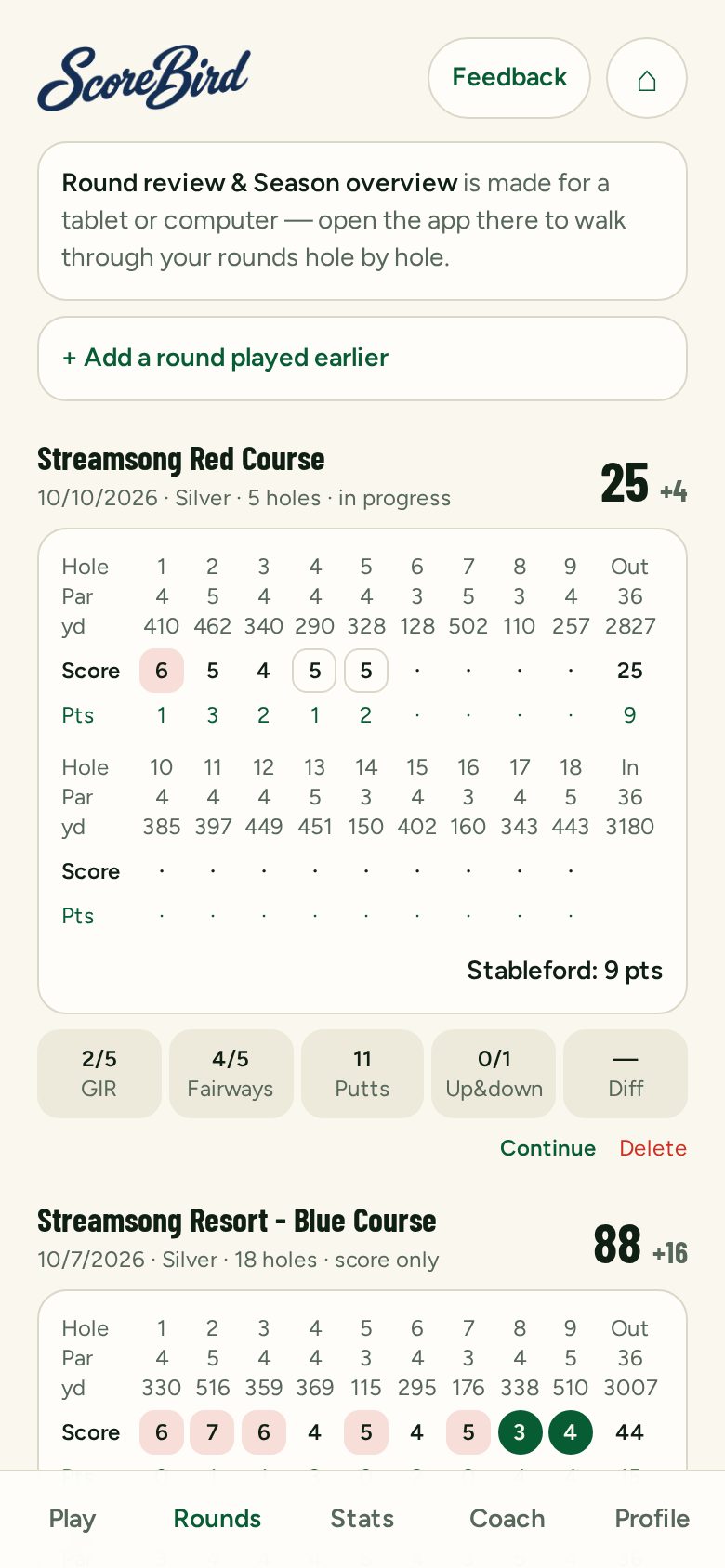
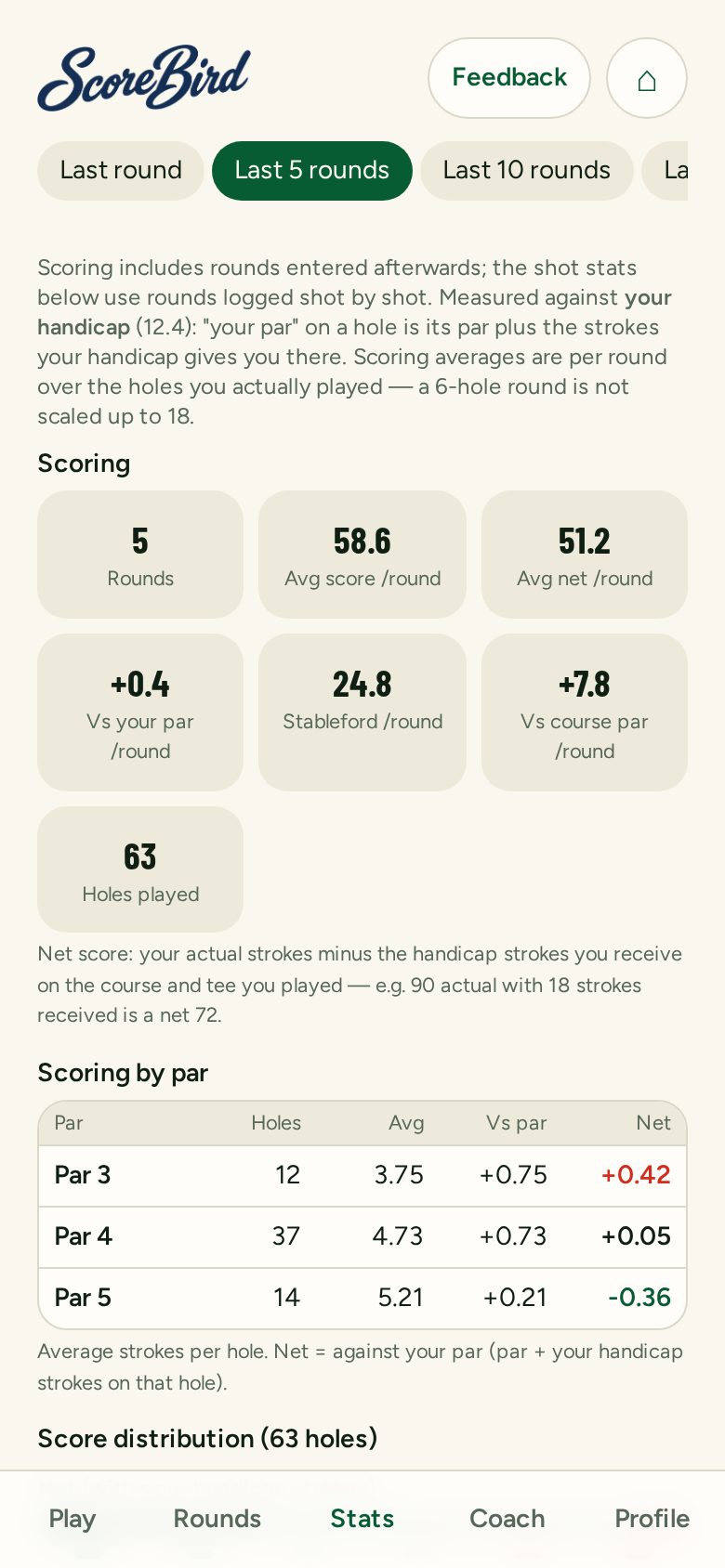
Each round gets a full scorecard. Over time ScoreBird shows where you really lose strokes — always measured against your own handicap.

  1. 1Rounds: scorecard, greens in regulation, fairways, putts and up-and-downs.
  2. 2Stats: last round, last 5 or 10, or the whole season.
  3. 3Net scoring per hole on your home course shows your trouble holes.
  4. 4Played a round without the app? Add it afterwards.
Rounds page with scorecards
Stats page showing scoring over the last 5 rounds

6. Walk through rounds on a big screen

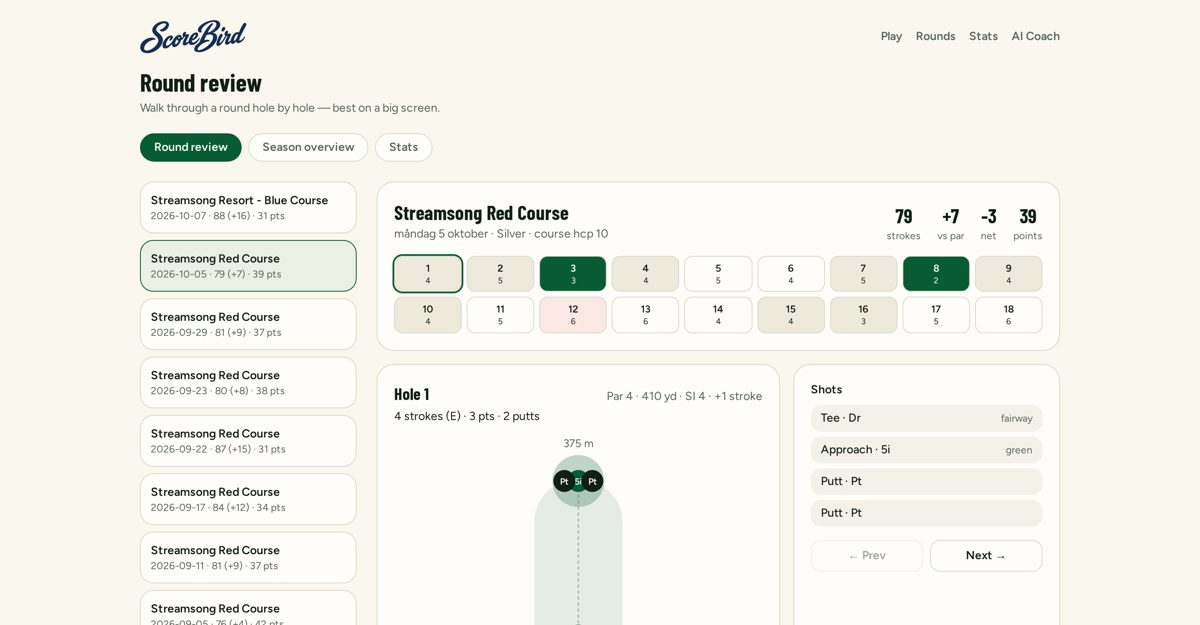
On a computer or tablet, Round review lets you replay every hole and shot. Season overview shows how your game is moving.

  1. 1Pick any round and step through it hole by hole.
  2. 2See every shot you logged and the result.
  3. 3Season overview and stats laid out for a wide screen.
Desktop round review with a list of rounds and hole-by-hole scores

7. Match play with friends

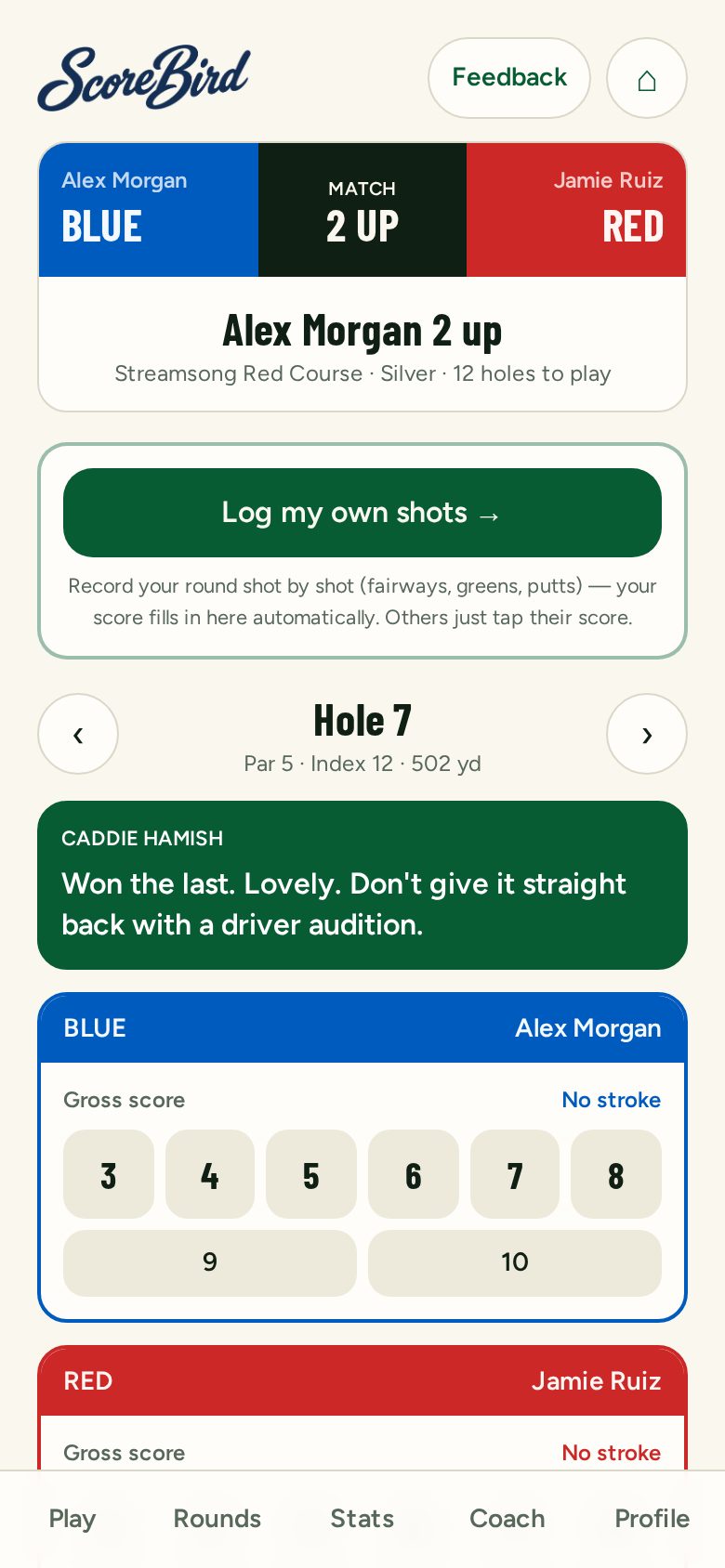
Play singles or fourball (best ball). Handicap strokes, standing and dormie are handled for you.

  1. 1Start a match and add your friends with their player code.
  2. 2Each hole, tap everyone's score — the match standing updates live.
  3. 3Want your own stats too? Log your own shots and your score fills in automatically.
  4. 4Hamish follows the match: “Won the last. Don't give it straight back.”
Match play screen showing Alex Morgan 2 up with Caddie Hamish

8. Ask your AI coach

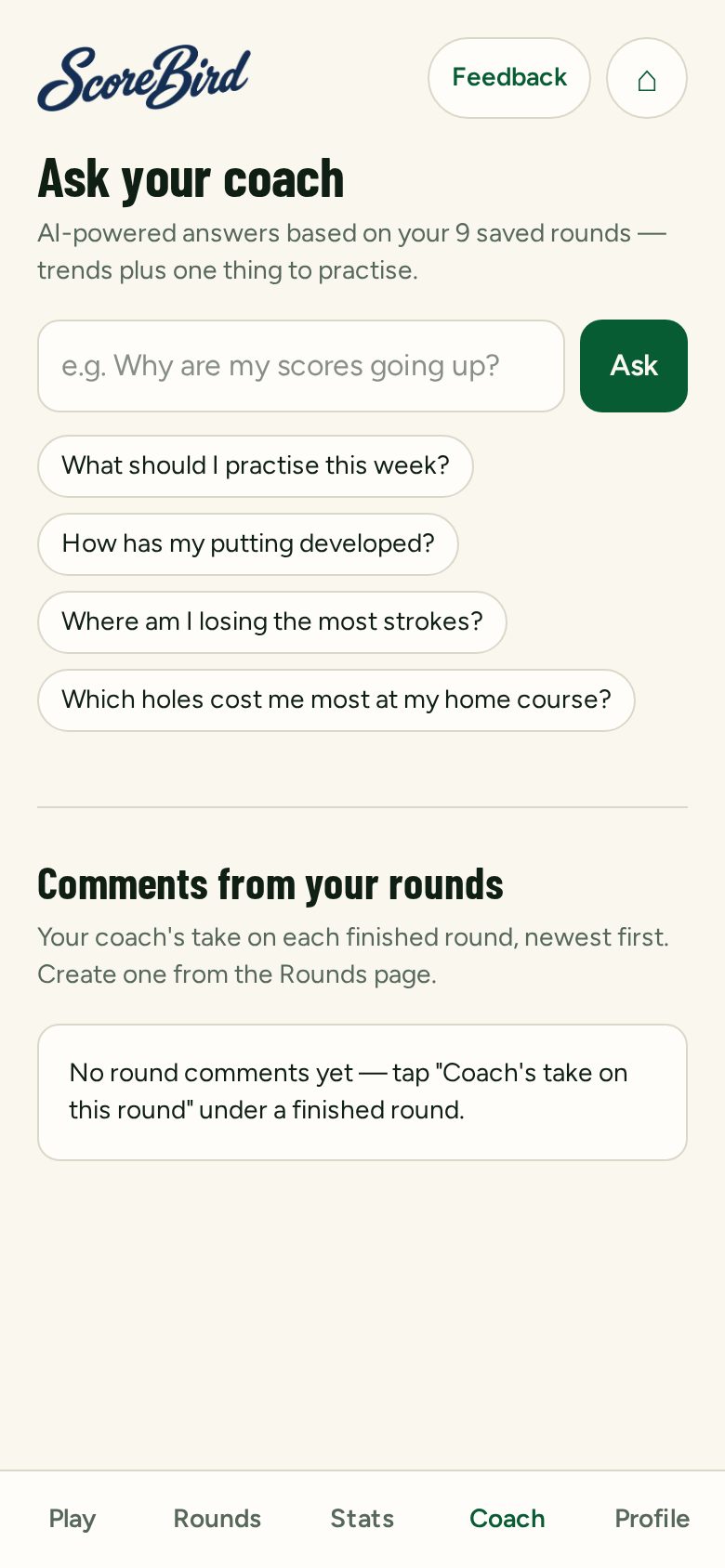
Ask questions about your own game in plain words. Answers are based on your saved rounds.

  1. 1“What should I practise this week?”
  2. 2“Where am I losing the most strokes?”
  3. 3Get the coach's take on each finished round.
AI coach screen with suggested questions

9. For golf pros and their students

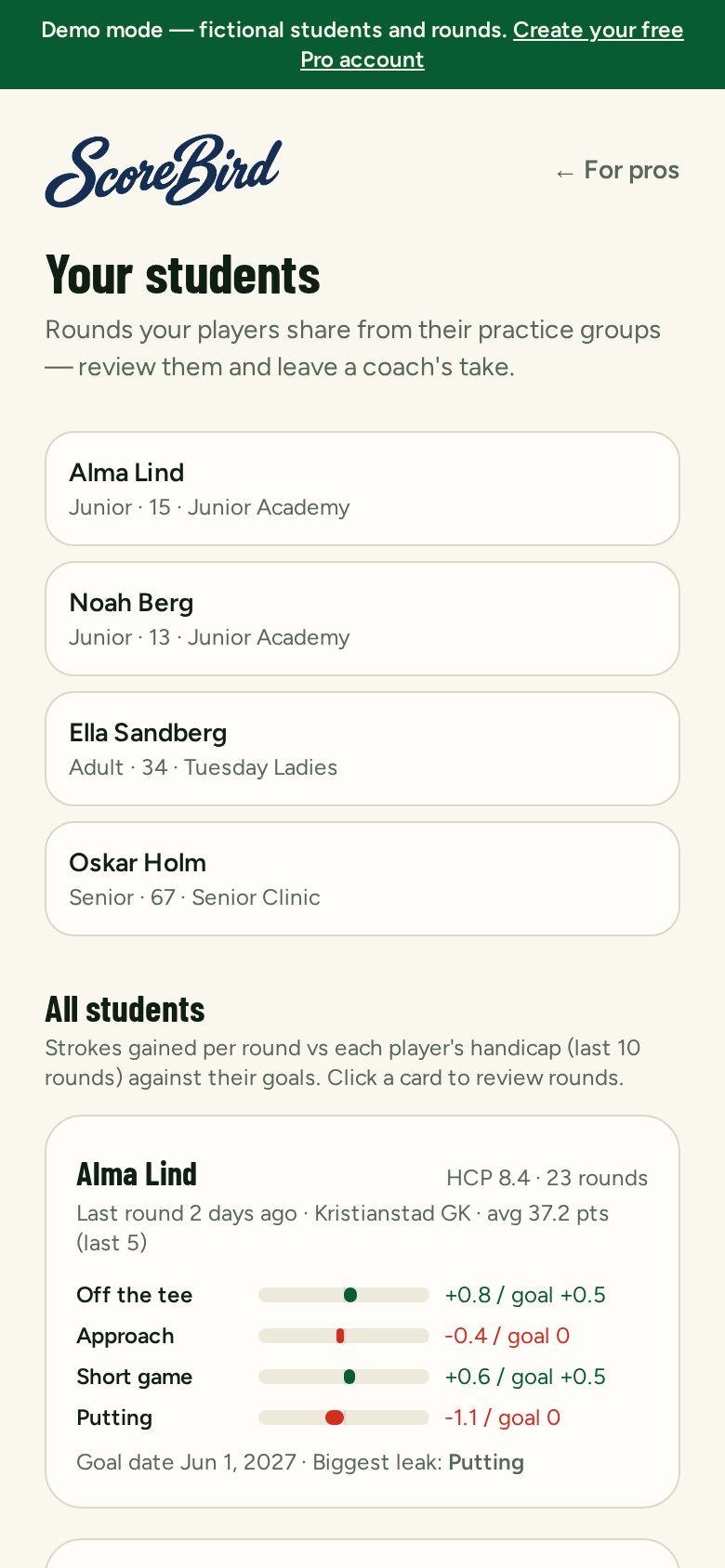
Pros create practice groups for juniors, seniors or clinics. Students choose to share rounds, and the pro sees where each one loses strokes.

  1. 1Students join a group with a code.
  2. 2Shared rounds only — nothing is shown unless the student turns it on.
  3. 3Set practice challenges with a leaderboard.
  4. 4Leave notes on a student's round.

Try the demo at /pros/demo — fictional students, no account needed.

Pro view with a list of fictional students and strokes gained

10. Tournaments and season Tours

Create a Stableford tournament for 2–40 players. Everyone records their own round and the leaderboard updates live. String events together into a Tour with Order of Merit points — and double points for the finale.

Tours with friends

One weekend.
Or a whole season.
Your own Tour.

Four friends in Spain. A summer-long club rivalry. Link your tournaments into a Tour and give every event something bigger to play for.

  • Handicap-adjusted Stableford. Everyone keeps their own scorecard.
  • Points for each finishing position. Every event counts.
  • A grand finale with double points. A title still worth chasing.
  • Play together or at different times; your organiser closes each event.

The standings tell you who's ahead. The Booth tells you the story.

Costa Weekend Tour

Order of Merit

PosPlayerE1E2E3Final ×2Total
1Alma Lind10862044
T2Oskar Berg81081238
T2Vera Nilsson66101638
4Leo Andersson5551025

Your rivalry, from the Booth

Vera led the chase. Alma owned the finale.

Two points behind before the finale. Six ahead after it. Double points gave Alma the opening — and she took it.

Fictional example · Finished events earn points · Ties share position points

11. The Booth

After a round, match or event, tap Booth for a commentator's take on what happened — ready to share with your group.

From the ScoreBird Booth

Your scorecard has a story.
Give it a voice.

The comeback. The last-hole heartbreak. The friend who suddenly thinks they're on Tour. AI turns your scores and standings into a personal take worth reading — and sharing.

A shared take for the event. Your own take for your round. Rival storylines for the chase. Share a branded card on its own, or add your own photo.

Warm rivalry for friends. A gentler voice for juniors.

From the ScoreBird Booth

Double points. Double drama. One champion.

Alma arrived at the finale two points behind Vera. She left six ahead. A win when the points counted double turned a good weekend into a title — and gave everyone else a very good reason to book the rematch.

Alma 44 · Oskar 38 · Vera 38 · Leo 25

Illustrative story · fictional players

Ready for the first tee?

Free while we're testing. Works in your phone's browser — no download needed.